Play something
Opening a movie, then the buttons while it plays.
The movie page
Tap a poster and the movie page comes up.
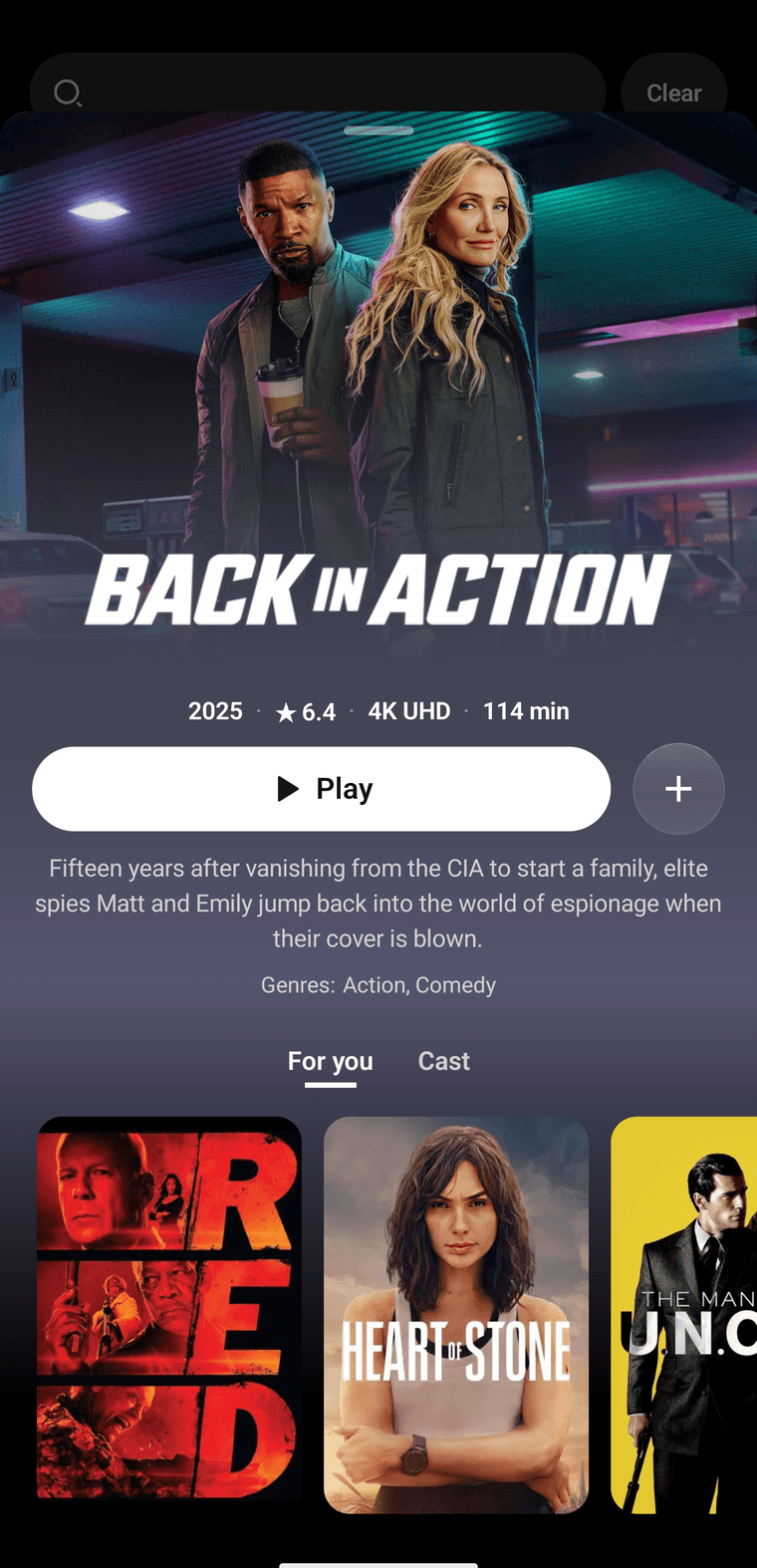
Back in Action, after a poster tap. Play is the white button. The plus saves it.
- Play starts the video. If you already watched some of it, the button says Resume and picks up where you left off.
- Plus adds it to your list. A check means it's saved. Tap again to take it off.
For you and Cast sit under the story. For you is other titles. Cast is the people in it.
Drag down from the top, or use the back button on the phone, and the page closes.
While it plays
The bottom bar hides. If the buttons are gone, tap the picture. Tap the empty picture again and they fade out.
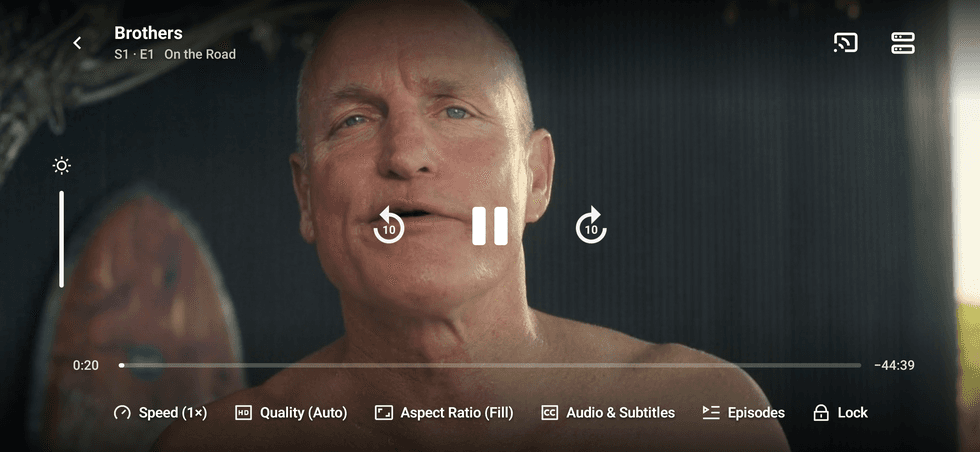
The movie is playing. Pause is in the middle. The row along the bottom is easy to miss.
- The arrow in the corner leaves the video.
- In the middle you can jump back, pause, or jump forward. Each jump is about ten seconds.
- The line along the bottom is the movie. Drag the dot to move.
- Quality shows the available streams and their resolutions, including 1440p and 4K when the source provides them. Give the higher-quality source check time to finish. If the video spins and never starts, try another server.
- Speed changes how fast it plays.
- Aspect ratio is the picture size. Fill the screen, or keep the shape the movie was made in.
- Audio and subtitles lists the languages provided by the current stream and alternative sources. On iPhone, embedded audio tracks switch without restarting the video. Other sources may need to reload at your current position. Dubs appear only when a provider supplies them.
- Lock hides the buttons so a stray tap doesn't pause it. Tap lock again to bring them back.
If you hear audio but the picture stays black, update to 1.0 and reopen the player. If that source still fails, try another stream under Quality.
Supermax
Supermax appears in both Quality and Server and is on by default. It ranks sources by recent response time and failures, races the leading sources, and adds backups after a short delay. It takes the highest advertised quality from the first usable result, so playback does not wait for a slower source to offer 4K. Manual sources stay available.
Turn Supermax off in Settings to return to Direct for new playback. Source availability, your network and device compatibility still determine loading time and the resolutions you can play.