If something's wrong
One problem at a time.
Find the one that matches what you see.
The video just spins
The circle keeps turning and the movie never starts.
Check that you're online. Leave the player, open the movie again, press Play, then open Quality along the bottom and try the next server. One of them can fail while the next one works.
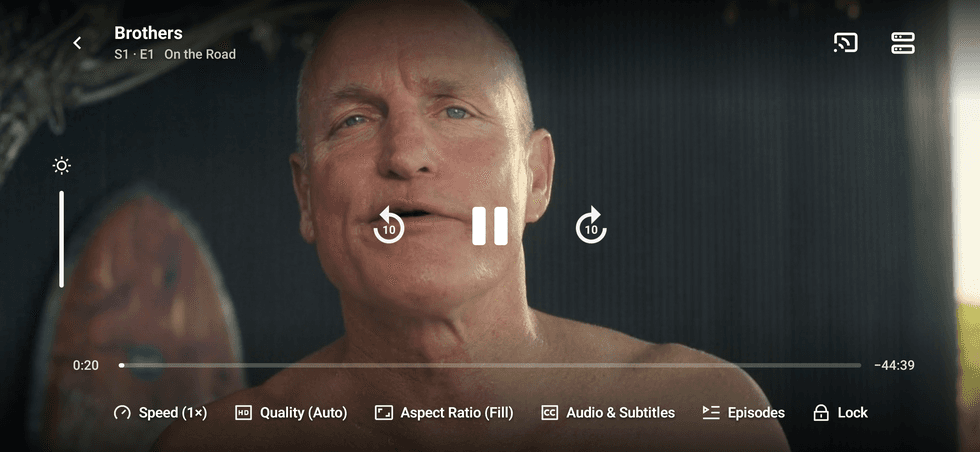
If it stays on the circle, change Quality, then press Play again.
On Android, older builds could spin forever even when the movie was ready. Use the latest signed APK. That one is allowed to keep the network awake while it plays.
The picture stays black
Look at the clock line.
- The clock is moving but the picture stays black. Update to 1.0 and reopen the player. If it still happens, try another stream under Quality.
- The clock stays at zero and the circle spins. That's the problem above. Try another server.
- You get a title card, like the studio name, and then it continues. The movie is starting. Give it a moment.
No posters
Home, movies, or shows is just empty color, or the names are there and the pictures are not.
Shiopa needs internet for the artwork. Try another network, then leave that page and come back.
If only one row is empty, open More on that row, or switch the mood pill and switch back.
No download button
The movie page has Play and the plus, and no arrow.
Go to Settings, then Offline, and turn downloads on. Go back to the movie. The arrow shows up after that. Saved videos show up on your page.
Downloads stay off until you turn them on, so a tap doesn't fill the phone.
Saved videos will not play offline
Version 0.08 only marks a download complete after a local file has been saved. Older entries that only stored a stream link show an error: reconnect and tap Retry to download the file. Wait for completion before going offline. Saved files remain playable when the download setting is turned off. Online search and uncached artwork still need internet.
Search finds nothing
The box is empty, or a name you know doesn't show up.
Check the spelling, then try a shorter piece of the name. The trending names on that page are there if you just want to see it work.
If the whole page is blank, you're offline. Search needs the network the first time.
iPhone will not open
The icon is there. A tap does nothing, or the phone says the developer is not trusted.
- Settings, then General, then VPN and Device Management.
- Tap the Apple ID that signed the app.
- Trust, then Trust again.
If it still won't open, go to Settings, then Privacy and Security, then Developer Mode. Turn it on and let the phone restart. Open Shiopa after it comes back.
The file from this site is not signed. The phone won't open it until you sign it.
The iPhone app opens, then closes
It flashes and you're back on the home screen.
Two usual reasons.
- The free week ran out. Sign it again with the same Apple ID and put it back. Your list stays.
- The file was signed for a different phone. Download the unsigned ipa and sign it with this phone's id.
Android will not install
The apk opens and then stops.
Allow unknown apps for the app that opened the file. Files, Chrome, or Drive. Then tap the apk again.
If it says the signature doesn't match, an older Shiopa is already there and this file was signed differently. Delete the old app, then install. Your list on that phone goes with it.
A newer signed APK, signed the same way, replaces the old one and keeps the list.
Packs will not show
Shioplug is empty, or it says it could not load.
Open it again on wifi. Tap Refresh catalog. One pack can fail and the others still install.
A source pack only helps after it's installed, and only after you pick it under Quality while a movie is playing. Installing it doesn't change home by itself.
A theme pack shows up under Settings, Theme, after it installs.
Still stuck
Come to Discord. Say iPhone or Android, what you tapped, and what the screen says.